La apertura de una tienda puede generar una pérdida de tiempo al copiar direcciones, leer pedidos y rastrear paquetes. Esto hace que cualquier cosa parezca mejor que lo que se está implementando actualmente. Sin embargo, el primer paso hacia la automatización no debería ser eliminar por completo la intervención humana en las tareas repetitivas, sino más bien transferir los datos entre la tienda y el equipo de logística de forma automatizada. Esto se puede lograr mediante un alcance limitado: sincronización de pedidos, coincidencia de SKU y actualización de estado.
Comience con los datos del pedido, no con todas las tareas repetitivas.
La automatización funciona mejor cuando la entrada tiene un significado y la siguiente acción es predecible. Un pedido pagado con un código SKU reconocido, la dirección completa del cliente, el método de envío seleccionado y un número de teléfono válido cumplen con esta descripción. Una muestra con una etiqueta dudosa, un producto sustituto o un paquete que llegó con el sello roto no cumplen con este requisito.
Planifique la primera transferencia antes de conectar las herramientas.
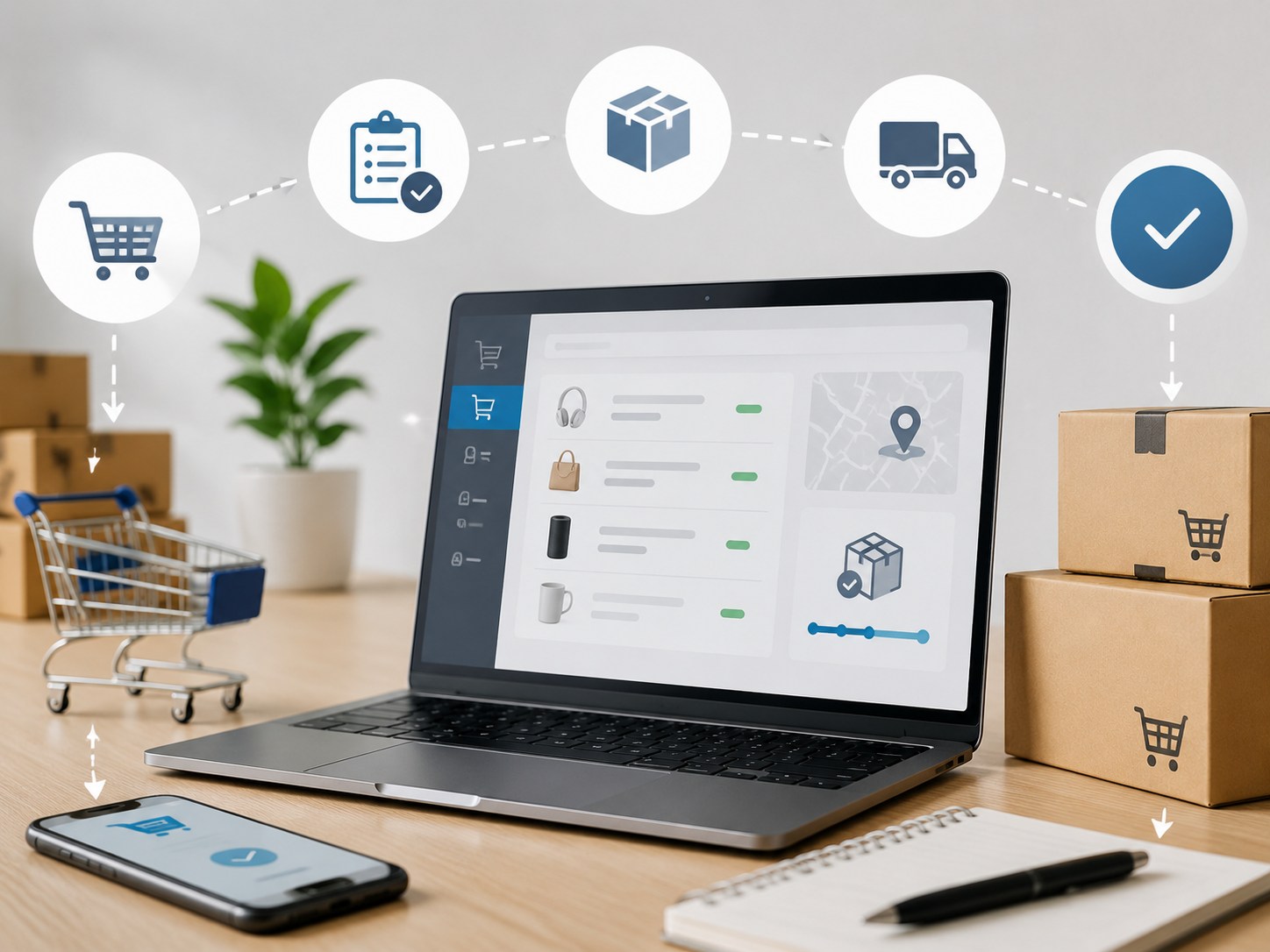
Describe lo que sucede después de finalizar la compra. La tienda registra el pedido, el departamento de logística identifica el producto, se calcula el costo de envío, se confirma el pago o el saldo, se prepara el paquete y se envía un número de seguimiento al vendedor. Este es el primer ciclo de datos que vale la pena automatizar, ya que cada campo pertenece a un pedido específico.
El mapa también revela errores en los datos de entrada. Si una tienda usa un nombre comercial mientras que una hoja de cálculo contiene un SKU antiguo, el enrutamiento automático puede enviar el artículo incorrecto. Estandarice el identificador del producto, la opción, la cantidad, los campos de destino y la opción de envío antes de activar la conexión.
Primera automatización: Flujo de pedidos desde la tienda hasta el punto de entrega
La primera conexión en tiempo real debe transferir los pedidos pagados del canal de venta al registro de cumplimiento. En un sistema típico, la tienda está autorizada, cada artículo listado se asocia con su SKU de cumplimiento y los nuevos pedidos aparecen en la vista de pedidos correspondiente. Los vendedores sin una tienda conectada pueden usar una importación de Excel o CSV, lo cual resulta útil como respaldo y para una migración cuidadosamente revisada.
Vincula cada SKU vendible antes de habilitar la sincronización de pedidos.
La asociación de SKU es la parte silenciosa de la automatización que previene errores costosos. Asocie cada talla, color, cantidad por paquete y versión a un único registro de cumplimiento. Pause los productos que no tengan una coincidencia verificada. Si el título de un producto cambia por motivos de marketing, el identificador interno debe permanecer estable para que el pedido siga llegando al artículo correcto.
Empiece con un lote de prueba. Verifique la dirección, el artículo, la cantidad, la opción de envío, el importe y el estado de cumplimiento en ambos lados antes de expandir el lote. LZ Dropshipping Esta etapa resulta adecuada cuando un vendedor necesita servicios de abastecimiento de productos, procesamiento de pedidos, almacenamiento, embalaje y asistencia para la entrega global.
Excepciones de ruta a una persona en lugar de adivinar
Crea motivos de retención claros: SKU no coincidente, dirección incompleta, cantidad inusual, artículo no disponible, cambio de embalaje o problema con el pago. Una persona debe resolver el motivo y liberar el pedido, manteniendo visibles los casos excepcionales.
La misma regla se aplica a las sustituciones. Un material, etiqueta, lista de ingredientes, conector o cantidad de paquetes diferentes pueden generar devoluciones incluso cuando dos artículos se ven similares en la miniatura.
Automatizar el seguimiento y las alertas de stock a continuación.
Una vez que los datos de los pedidos se gestionen con precisión, automatice las señales que los vendedores consultan con frecuencia. Las notificaciones de devolución con número de seguimiento, el estado del envío, el saldo disponible y los recordatorios de bajo stock son excelentes opciones para la segunda fase. Reducen el tiempo de consulta y ayudan al equipo de atención al cliente a responder preguntas rutinarias con información actualizada.
Permitir que los cambios de estado rutinarios se transmitan automáticamente
El número de seguimiento debe estar vinculado al pedido exacto y devolverse al canal de venta después del envío. La descripción del estado debe ser consistente para que el personal pueda distinguir entre embalado, enviado, en tránsito, retrasado, entregado y en espera de revisión. El cálculo del flete también puede incluirse en este flujo de trabajo una vez que se hayan completado el destino, los datos del paquete y la selección del servicio.
Las alertas de stock deben reflejar el ritmo de ventas y el tiempo de reposición. Los productos de alta rotación pueden requerir una advertencia más temprana, mientras que un artículo de prueba de baja rotación puede utilizar un margen de seguridad menor. Una alerta debe impulsar una decisión, no realizar una orden de compra sin revisar.
Conservar el Manual de Juicios sobre Productos y Proveedores
La aprobación del producto es específica para cada categoría. Un paquete de toallitas, un frasco de cápsulas y un accesorio electrónico no se someten a las mismas verificaciones. El software puede registrar los resultados y retener un pedido si falta algún dato, pero aun así es necesario que una persona compare la muestra, la etiqueta, el empaque y las especificaciones acordadas.
Utilice comprobaciones específicas del producto antes de aumentar el tamaño de una SKU.
Por ejemplo, el Toallitas desodorantes para mascotas (paquete de 20) Están diseñados para perros y gatos y no requieren enjuague. Una revisión de muestra debe verificar la cantidad, la retención de humedad, el sellado del paquete, la forma del guante, la etiqueta y la protección de la caja. Si un sello se abre durante el transporte, el producto puede llegar seco aunque los datos del pedido sean correctos.

El Suplemento vegano de 30 cápsulas Requiere una revisión diferente. Antes de publicarlo, verifique la etiqueta final, la lista de ingredientes, la información de seguridad, la cantidad de envases, el cierre, la información sobre la vida útil y los detalles del lote. Los cambios de lote del proveedor deben ser aprobados por una persona, ya que la información sobre bienestar y el empaque no pueden tratarse como una actualización de estado rutinaria.
Mantenga visibles los registros de recepción y de pre-envío.
Las verificaciones de entrada confirman que los productos adquiridos coinciden con la muestra aprobada antes de que se registren en el inventario disponible. Las verificaciones previas al envío confirman que el artículo, la cantidad, la etiqueta y el embalaje seleccionados son correctos para el pedido actual. Registrar los códigos de aprobación, retención y motivo en el mismo registro de pedido agiliza el flujo de trabajo sin necesidad de reemplazar a la persona que revisa el producto.
Aquí es donde la comunicación con el proveedor cobra importancia. La búsqueda y cotización rápidas ayudan al vendedor a probar los productos, pero la cotización debe especificar el artículo exacto y el embalaje previsto. Un equipo de comunicación especializado y un servicio personalizado pueden agilizar el proceso desde la detección de un problema hasta la toma de una decisión documentada.
Crea un flujo de trabajo que pueda crecer sin ocultar errores.
Un mayor volumen de pedidos requiere un registro operativo fiable, una clara asignación de responsabilidades para las excepciones y un pequeño conjunto de nombres de estado compartidos.
Convierta el ERP en el registro operativo compartido.
Un sistema ERP puede mostrar pedidos, saldo y el progreso de la entrega en un solo lugar. Esto lo convierte en un registro compartido útil para el vendedor y el equipo de logística. El vendedor debe definir quién revisa los pedidos retenidos, quién aprueba una muestra modificada y quién contacta al cliente cuando no se puede resolver automáticamente un problema de dirección o entrega.
La elección de la logística también requiere contexto. LZ Dropshipping trabaja con YunExpress, Yanwen, Wanb Express, 4PX y SF Express, ofreciendo a los vendedores opciones de envío que pueden consultar según el destino, el costo y el plazo de entrega. Se recomienda revisar los destinos inusuales o los casos urgentes.
Agregue el servicio de pedidos una vez que los datos estén estables.
El Servicio de pedidos y envíos con un solo clic Resulta más útil una vez probados los enlaces SKU y las reglas de excepción. Su página describe los pedidos de artículos individuales y los envíos internacionales con seguimiento, lo que coincide con el flujo de datos habitual que se analiza aquí. Considérenlo como una ruta operativa, no como una autorización para omitir la revisión de muestras o las comprobaciones de embalaje.
Antes de añadir otra aplicación, pregúntese si el flujo de trabajo actual utiliza datos limpios y repetibles, y si existe un responsable claro en caso de fallo. Si la respuesta es negativa, una nueva conexión generará ambigüedad. Corrija primero el campo de origen o la regla de decisión.
Transición de pedidos manuales a un flujo de trabajo de cumplimiento verificado
Una secuencia de implementación práctica
Comience con SKU verificados y un solo canal de ventas. Vincule los registros de productos, envíe pedidos de prueba y compare todos los campos. Luego, agregue el seguimiento de devoluciones y actualizaciones de envíos. Agregue recordatorios de stock solo después de que los movimientos de inventario se registren de manera consistente.
Inicialmente, revise diariamente la cola de excepciones y ajuste los datos del producto cuando se repita el mismo problema. Una vez que el proceso esté estable, amplíelo a más SKU o canales. Puede negociar las condiciones de pago con el socio de logística, pero es necesario confirmar la elegibilidad y las condiciones.
Recomendación final
Automatice primero la sincronización de pedidos, la coincidencia de SKU, el seguimiento de devoluciones y las actualizaciones de estado rutinarias. Son tareas estandarizadas y frecuentes con entradas claras. Deje la selección de productos, la aprobación de proveedores, las verificaciones de muestras, las sustituciones, las anomalías de dirección y la revisión previa al envío en manos de personas.
Este enfoque va más allá de ahorrar clics. Crea un registro de cumplimiento que puede ampliarse a la vez que muestra dónde se requiere criterio. La mejor automatización inicial es aquella que procesa rápidamente los datos verificados y se detiene cuando el pedido deja de parecer rutinario.
Preguntas frecuentes
P1: ¿Debería una nueva tienda de dropshipping automatizar primero la selección de productos?
A1: No. La selección del producto depende de las muestras, la adecuación al canal, el embalaje, la respuesta del proveedor y el riesgo de devolución. Automatice los datos del pedido una vez que se haya aprobado el producto y su SKU.
P2: ¿Cuándo se deben automatizar las actualizaciones de seguimiento?
A2: Añádalos después de que los pedidos de prueba demuestren que cada número de seguimiento corresponde al pedido correcto y que los estados de envío utilizan una redacción coherente. Mantenga los paquetes retrasados o inusuales en una cola de revisión.
P3: ¿Puede LZ Dropshipping admitir una implementación de automatización por etapas?
A3: Entre sus capacidades conocidas se incluyen la búsqueda de productos, el almacenamiento, la recepción y el control de envíos, el embalaje, múltiples canales logísticos, un sistema ERP para pedidos y saldos, y comunicación dedicada. Confirme la conexión exacta con la tienda, las condiciones de pago y los detalles de implementación para la cuenta del vendedor antes del lanzamiento.