A supplier feed feels like a small backend detail when a store is young. A few SKUs, a few orders, one sales channel, maybe one person checking stock. Then the product count grows, prices change late, and tracking numbers reach customers before the store system catches up.
That is when sellers stop asking only about product cost and start asking a practical question: how should supplier data move through the business? API and CSV supplier feeds both have a place. The right setup depends on store size and fulfillment discipline.
Why Supplier Feeds Matter for Dropshipping Growth
Supplier feed links product information to operational activities at the stores. It consists of SKU number, title, variations, price, stock status, shipping details, and even images, in some cases. After the orders are created, similar flows of information could influence their distribution, tracking, and inventory management as well.
Small mistakes grow into big ones quickly enough. For example, when stock is not kept up-to-date, the store continues selling products that are out of stock. In case the prices are outdated, the margins will be lost unnoticed. Incorrectly mapped variation and SKU might lead to sending the wrong product from the warehouse.
Growth intensifies the problem. The 30 SKUs in tests could be managed manually by the store. But 3,000 SKUs within Shopify, WooCommerce, TikTok Shop, or other marketplaces would be impossible to manage manually always.
What Are API and CSV Supplier Feeds?
API Supplier Feeds
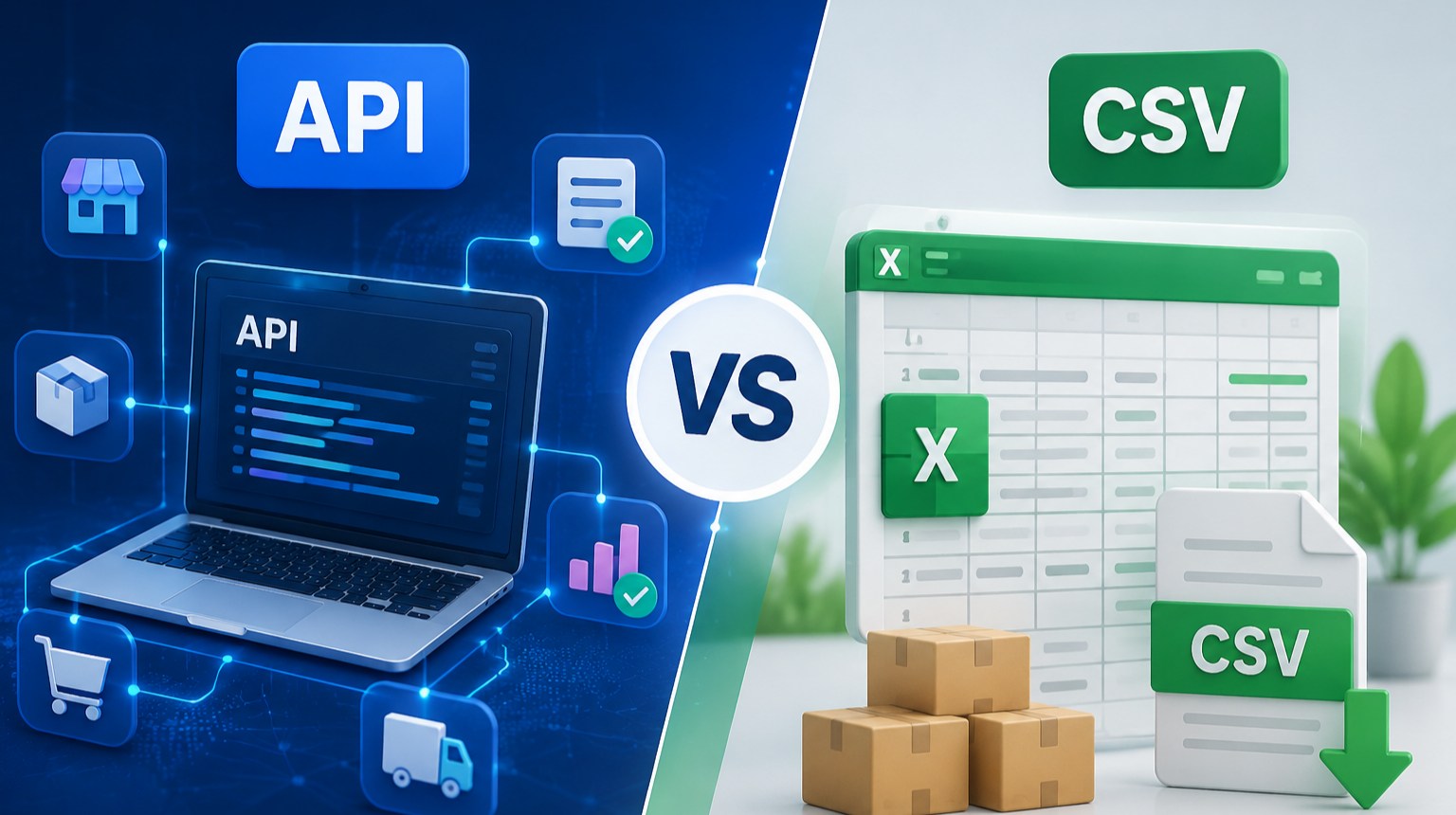
An API is the system-to-system integration. Rather than download a file and upload to another location, the shop, ERP, or fulfillment system could obtain data from the supplier system. Product details, stock levels, prices, order statuses, and tracking numbers could be transferred with significantly reduced manual effort.
This comes into play when the merchant offers a wide range of SKUs or even multiple sales channels. Supplier Feed API could enable rapid inventory updates, cleaner order transfer, and improved exception management. It would involve more technical implementation but normally provides a good return on investment when orders become regular.
CSV Supplier Feeds
A CSV supplier feed is a structured file. The supplier exports product, price, and inventory fields into a spreadsheet-style format, then the seller imports that file into the store, ERP, or listing tool. It is simple, familiar, and cheap to start.
CSV works well for new stores that are still testing products. If the team only needs to upload a small batch of SKUs, compare costs, or update stock once in a while, a CSV file may be enough. Some dropshipping systems also allow Excel or CSV order imports for sellers who do not yet authorize a store connection.
The weak point is timing. A CSV file is only as current as the last export. If stock or pricing changes after the file was shared, the seller may not know until an order fails.
API vs CSV: Which One Fits Different Store Sizes?
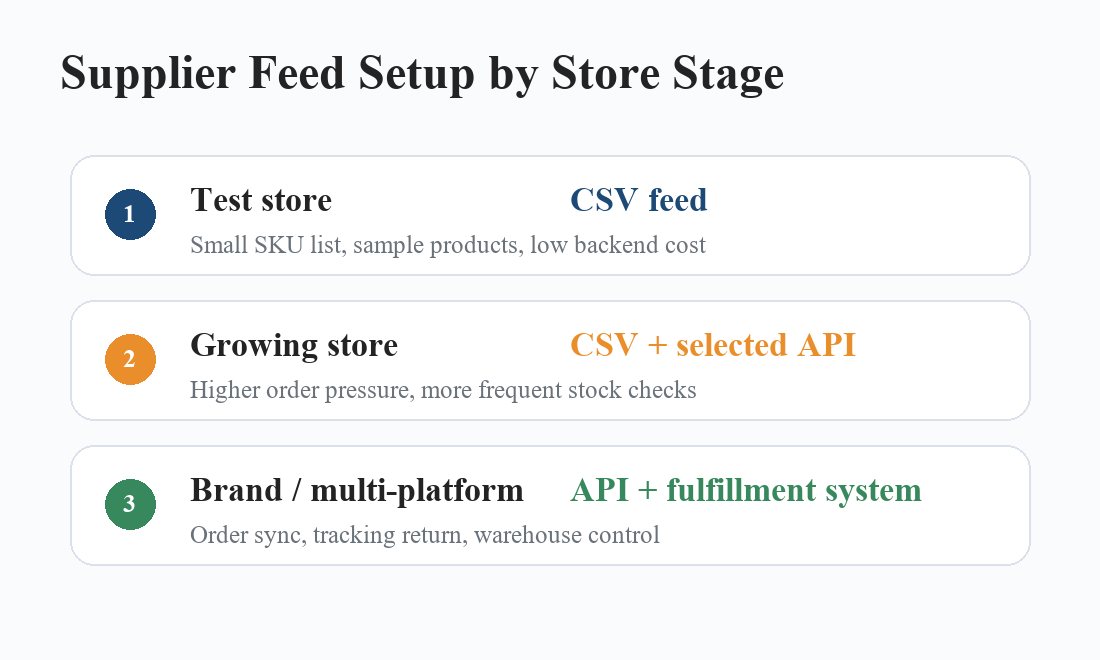
For a small store, CSV is often the more practical choice. The seller may be testing a niche, checking whether a few products can attract traffic, or building the first product page structure. A CSV feed keeps the cost low and the process easy to adjust.
Still, even small stores should check data quality. Product names, variant codes, weights, and images need to match what the supplier can actually ship. A messy CSV can create the same after-sales trouble as a poor API connection.
Growth-stage stores sit in the middle. They may start with CSV, then move selected suppliers or best-selling SKUs into an API workflow. This is sensible when order volume becomes less predictable. A TikTok video, seasonal campaign, or influencer test can suddenly push a product from ten orders to hundreds.
Large stores, distributors, and brand operators should usually move toward API integration or a broader automated supply chain system. They need stock visibility, order sync, tracking return, warehouse processing, and customer service records to work together.
Why Supplier Integration Matters for Dropshipping Fulfillment
A feed format is only one part of the decision. The supplier still has to source products, hold or manage stock, inspect goods, pack orders, ship them through workable routes, and return tracking data quickly. A clean API does not fix weak warehouse discipline.
This is where a partner such as LZ Dropshipping becomes relevant for sellers who want more than a product list. The workflow covers product sourcing, quality checks, order processing, warehousing, custom branding, tracking visibility, and customer support. For a buyer, data accuracy and fulfillment performance are tied together.
If the supplier can find products quickly but cannot confirm stock or ship on time, the feed will only expose the problem faster. If the supplier has warehouse control, inspection steps, and tracking updates, the feed gives the seller a cleaner view of what can actually be sold and shipped.
Where API Starts to Help the Fulfillment Side
API integration becomes valuable when the store needs repeatable order movement. With one-click ordering a seller can reduce manual handoffs between store orders and supplier processing. That helps when orders arrive from different platforms or in batches.
Automated fulfillment is not just about speed. It also reduces address mistakes, missed SKUs, delayed tracking uploads, and the quiet errors that happen when people move data between screens all day.
Tracking is another important part of the feed conversation. Customers rarely care whether a seller uses API or CSV. They care whether the parcel moves, whether the tracking link works, and whether support can answer quickly when a scan is delayed.
What Should Buyers Check Before Choosing a Supplier Feed?
Start with product data accuracy. Buyers should check whether the supplier can keep titles, SKU codes, variants, weights, packaging information, and images consistent. If the uploaded data does not match the warehouse item, the store may sell one thing while shipping another.
Then look at inventory sync. Ask how often stock is updated and what happens when stock becomes low. For CSV, that means checking export timing. For API, it means checking refresh frequency, error logs, and whether failed syncs are visible to the seller.
Order handling comes next. A useful feed should support the way the seller actually works: single orders, batch orders, multi-store orders, wholesale shipments, or stocked goods in the supplier warehouse. If branded packaging or inserts are planned later, those notes also need a place in the workflow.
Multi-platform support should not be treated as a slogan. Shopify, WooCommerce, TikTok Shop, and marketplace channels can carry different listing rules and tracking needs. A feed that works for one channel may not be enough when the business adds more storefronts.
Finally, check after-sales capacity. The supplier should be able to respond when a parcel is damaged, a tracking number stalls, or a customer receives the wrong variant. Stable fulfillment, inspection, packaging, and customer service are still the real safety net.
Final Recommendation: Choose Based on Your Store Stage
For a test-stage store, CSV supplier feeds are usually enough. They are simple, low-cost, and suitable for checking product-market fit without building a heavy backend too early. Just keep the SKU list controlled and do not assume old stock files are still accurate.
For a fast-growing store, API integration becomes more attractive. Once orders rise and product changes happen more often, better sync can reduce manual work, especially during campaigns or short-form video traffic spikes.
For multi-platform sellers, distributors, and brand operators, the better answer is usually an automated supply chain system. Product sourcing, stock control, warehouse handling, inspection, order fulfillment, tracking, and support all need to connect.
LZ Dropshipping fits sellers who want that broader operating layer instead of managing separate sourcing contacts, spreadsheets, warehouse chats, and logistics updates. If you need more information about API connection, CSV import, sourcing support, or branded fulfillment, please feel free to contact LZ Dropshipping.
FAQ
Q1: Should a new dropshipping store start with API or CSV supplier feeds?
A1: A new store can usually start with CSV, especially when testing a small SKU list. Keep product data clean and refresh stock before running ads. If repeat orders become steady, API planning should not wait too long.
Q2: What is the biggest risk of using CSV feeds for too long?
A2: The biggest risk is stale data. Old stock, outdated prices, or changed variants can stay inside the store after the supplier has already moved on. That leads to overselling, margin loss, and wrong shipments.
Q3: Can LZ Dropshipping support sellers moving from CSV testing to automated fulfillment?
A3: Yes, LZ Dropshipping is useful when sellers need sourcing, order processing, quality checks, warehousing, tracking, and customer support in one workflow. That helps a store move from small tests toward repeatable fulfillment.