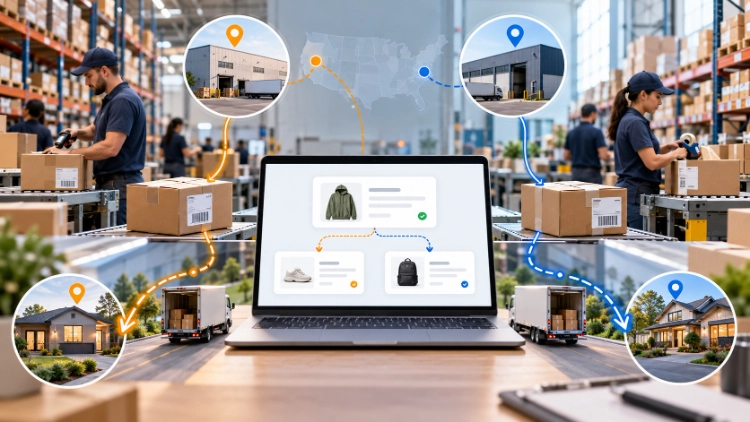
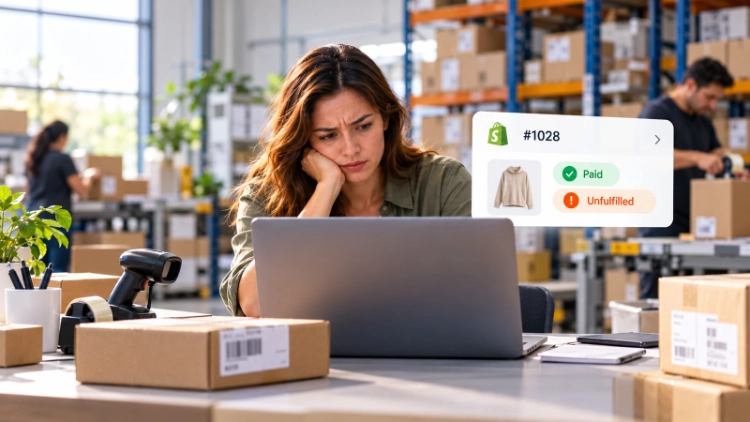
A customer has paid, but the tracking page is still empty when they ask where the parcel is. The seller cannot tell whether the item is waiting for stock, warehouse picking, or a fulfillment-service response. Before investigating carrier transit time, the merchant first needs to confirm whether the parcel has actually been handed over for delivery.
Shopify fulfillment delays often begin before a label is printed. The first task is to identify what has actually stopped: an order status, a missing product, an unresolved instruction, or a handoff between systems.
What Does Unfulfilled Mean in Shopify?
Payment and fulfillment describe different parts of an order. Paid indicates its payment status, while Unfulfilled normally means fulfillment has not been completed. It is a routine starting state, not a Shopify warning that the promised dispatch date has been missed.
Other statuses provide useful clues. In progress can indicate that preparation or a fulfillment request is underway. On hold indicates a pause that must be resolved before the affected fulfillment proceeds. Scheduled can apply to prepaid subscription orders awaiting their fulfillment date. Partially fulfilled means some line items have been marked as fulfilled while others remain unfulfilled. A Fulfilled status does not, on its own, prove that a carrier has collected the parcel.
An order can also contain multiple fulfillments, so the status shown for the whole order may not describe every item. Open the individual fulfillment details before drawing conclusions, and distinguish payment, a generated label, physical carrier handoff, and delivery when reviewing Shopify order statuses.
Why Do Shopify Orders Get Stuck Before Shipping?
The delay often appears in one system but originates in another. A warehouse may be ready to pack an order that the supplier has not delivered, or a supplier may have the goods while the warehouse is waiting for a corrected SKU.
| Where the order stops | Evidence to check | Who should investigate |
| Inventory unavailable | Available stock by SKU and location; inbound purchase status | Inventory owner or sourcing team |
| Fulfillment on hold | Hold reason and any additional holds | Merchant and the app or service responsible |
| Supplier preparation | Confirmed variant, procurement record, expected arrival | Supplier or sourcing coordinator |
| Fulfillment request declined | Request outcome and provider note in the order timeline | Merchant and fulfillment provider |
| Warehouse queue or quality check | Receipt, inspection result, pick list, packing exception | Warehouse operations |
| Carrier handoff not completed | Label, dispatch manifest, collection record, first scan | Warehouse and carrier contact |
Inventory and supplier delays
A Shopify product can appear available while the chosen fulfillment location lacks usable stock. Inventory may be reserved for other orders, recorded under a different variant, or still travelling from a supplier. A purchase order is not proof that units have arrived and passed inspection.
For a dropshipping order, check whether the supplier accepted the correct variant and confirmed an available quantity. For pre-stocked products, compare the warehouse’s physical receipt with the quantity visible to the storefront. Do not substitute a similar item without the merchant’s authorization.
Holds, requests, and warehouse exceptions
A fraud review, an inventory check, a merchant, or a third-party app may cause a fulfillment hold. More than one hold can apply to the same fulfillment. Removing a merchant’s manual hold does not necessarily remove a separate system hold; overriding app-controlled holds may interfere with the service’s process. Check the fulfillment hold controls and identify who placed each hold before releasing it.
For app-connected providers, a requested fulfillment can be accepted or declined. A declined request may return the affected order to Unfulfilled, with an explanation in its timeline. After acceptance, the order can still wait at quality inspection, picking, packaging, or carrier handoff. The next action depends on that specific stage, not the age of the order alone.
How Can You Find Where an Order Is Stuck?
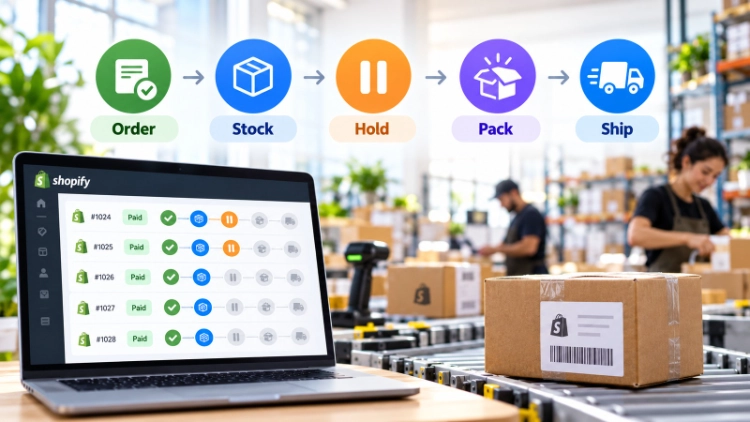
Begin with a single affected order and establish the last confirmed event. Avoid asking every team whether it has “shipped” the parcel: one may mean a label, another a packed box, and another a carrier collection.
Check the Shopify order record
Confirm payment status, line items, variant IDs, assigned fulfillment locations, and the order timeline. Look for holds, outstanding fulfillment requests, cancellations, address edits, and notes from a service provider. For an order with multiple items, inspect the unfinished fulfillment rather than treating already shipped items as delayed.
Some shopify unfulfilled orders are still within the merchant’s stated handling window. Compare its age with the actual dispatch commitment, including weekends, customization lead times, and accepted preorder dates.
Match the record to the supplier and warehouse
Follow the same order number into the ERP or fulfillment portal. Verify that each SKU maps to the requested size, color, and quantity. Then locate the last physical milestone: supplier confirmation, inbound delivery, goods received, quality inspection, stock allocated, picked, or packed.
If Shopify shows an order but the fulfillment portal has no matching record, investigate the integration or order-submission step. If the portal shows a packed parcel, ask for the dispatch manifest and carrier collection evidence. A generated shipping label is not the same as a pickup record or first carrier scan. A reliable Automatisierte Auftragsabwicklung für Shopify setup also needs consistent SKU mapping and order records across these handoffs.
Establish one owner and a next update
Record the blocker, responsible party, and the next verifiable action. “Waiting for warehouse” is less useful than “SKU M is awaiting inspection; warehouse will confirm whether it can be released.” If the promised dispatch date will be missed, customer service needs a revised estimate supported by the responsible team rather than an invented delivery date.
How Can Stores Reduce Fulfillment Delays?
The remedy should correspond to the cause. Moving every SKU into pre-stock is expensive if delays mostly arise from incorrect product mapping; installing another app will not resolve an unreliable supplier.
Fix recurring inventory and supplier gaps
Compare delayed orders by SKU, supplier, and warehouse location. Repeated shortages on a stable bestseller may justify a small reserve at the appropriate fulfillment location. New products with uncertain demand may remain source-per-order, provided supplier lead times are communicated accurately.
If recurring shortages expose a mismatch between sourcing and pre-stock, reassess the store’s Shopify-Fulfillment-Optionen. The objective is to decide which products justify ready inventory, not to pre-stock the entire catalog.
When stock is spread across several locations, establish whether the delay comes from supplier availability or order allocation. Repeated multi-location problems warrant a review of Shopify split shipping arrangements before changing warehouse assignments.
Create an exception queue before dispatch
Put incorrect addresses, ambiguous variants, stock shortages, failed inspections, and declined fulfillment requests into a queue that someone reviews. Record a reason, an owner, and the conditions for release. A daily review of aging exceptions can be more useful than repeatedly resending unchanged orders to a provider.
Warehouse cutoffs also need clear definitions. An order paid before a cutoff may still miss that day’s dispatch if stock is not allocated or a required quality check remains open. Promise handling times using the actual workflow, not just the carrier’s advertised transit speed.
When Should a Fulfillment Partner Step In?
A partner can help when the same delay repeatedly crosses sourcing, warehouse, and shipping boundaries. The merchant should still retain responsibility for customer promises, item substitutions, and approval of any change in handling arrangements.
LZDropshipping offers product sourcing, quality inspection, warehousing, order fulfillment, multiple logistics channels, and ERP-based order management. These capabilities make it possible to review supplier preparation, warehouse status, and order records within one service arrangement. They do not, by themselves, guarantee stock availability or a fixed dispatch time for every product.
Before moving orders, agree on the product reference used by both systems, who approves substitutions, how failed inspections are reported, and when tracking is returned. A useful trial includes a stocked item, a sourced-on-demand item, and an order with an incomplete address.
Which Fulfillment Metrics Reveal Problems Early?
Measure distinct intervals instead of reporting a single average shipping time. Payment-to-request time indicates how quickly eligible orders reach the fulfillment operation. Request-to-acceptance time helps expose partner or integration delays. Acceptance-to-dispatch time captures sourcing, stock allocation, quality checks, picking, and packing. Dispatch-to-first-scan time highlights possible carrier handoff or scan gaps, although scans may post later than the physical collection.
A rising request-to-acceptance time warrants investigation of provider responses or an integration fault. A longer acceptance-to-dispatch interval points instead to stock allocation, supplier preparation, inspection, or packing. Also review orders past their promised dispatch date, outstanding holds by reason, declined requests, and aging warehouse exceptions. Compare results by supplier and SKU; an overall average can hide one product that repeatedly holds back orders. Separate the time before carrier handoff from transit performance so the right team owns each issue.
Schlussfolgerung
Shopify fulfillment delays cannot be diagnosed from a payment badge or missing tracking link alone. Identify the last confirmed step, check whether a hold or rejected request applies, and trace the outstanding item through sourcing, inventory, warehouse work, and carrier handoff. Then measure the time lost at that stage before changing the process.
Merchants dealing with repeated delays across several suppliers can request a review of their fulfillment workflow from LZDropshipping. Sharing affected SKUs, order timelines, warehouse locations, and dispatch requirements gives both sides a concrete starting point for evaluating sourcing and fulfillment arrangements.
Häufig gestellte Fragen
Q1. Why is an order paid but still unfulfilled?
Payment confirmation does not complete fulfillment. The order might be awaiting normal processing, stock, a scheduled release, or provider action. Check the fulfillment details and promised dispatch date before treating it as late.
Q2. Can a fulfillment hold be released automatically?
Yes. Shopify Flow can release holds automatically when the workflow uses a suitable trigger and targets the correct fulfillment order. Its release action removes all holds on that fulfillment order. Check any app-controlled or system holds and the provider’s requirements before allowing automation to release them.
Q3. What if a fulfillment service declines an order?
Check the provider’s response in the order timeline and verify inventory, SKU details, and service eligibility. Resolve the reason with the provider before submitting a new request; repeated submissions without correction can create more exceptions.